- Welcome to PACKMAGE
-
Language: English
- Login
- Create your ID now

Packmage CAD step and repeat features could step and repeat single box template rapidly with optimized solution, if there are two or more carton box templates on one cardboard, it should step and repeat manually to get the best step and repeat solution to save paper. Please check the structures of the following two box templates.
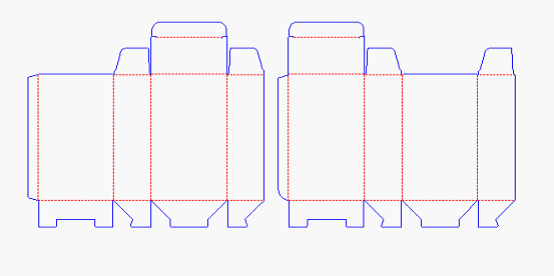
They are from the same client and the quantities is huge, if we only select one box template to step and repeat, there will be lots of waste during printing, the paper utilization is much more lower than step and repeat them together. Although we could not use Packmage CAD smart step and repeat features, there's a small skills we could step and repeat them manually.
Firstly we could use the tools in the tools bar to adjust the position of the two box templates on the cardboard. Here we only need to Y flip the right box template, then move them together.

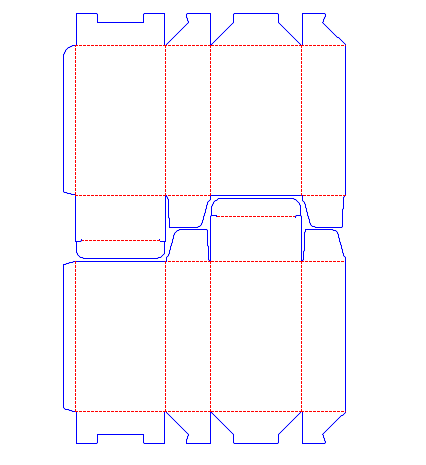
Secondly, Click Array button on the tools bar and input the quantities of the line and row and confirm.
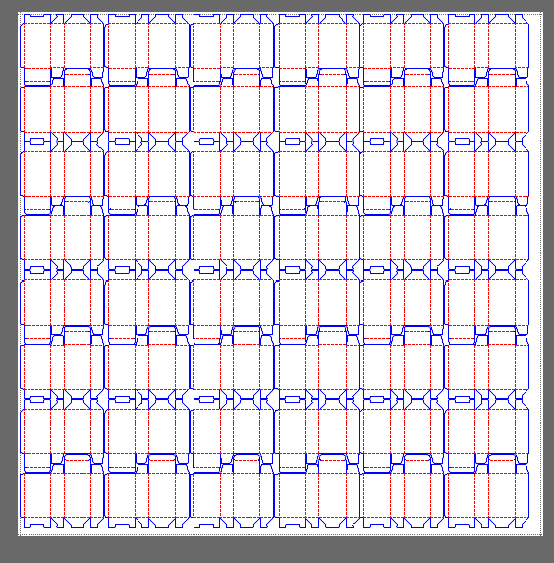
In the cardboard, we can step and repeat 48 box templates, if we step and repeat single box template on the same cardboard, no matter which box template we choose, we could only step and repeat 42 of them.
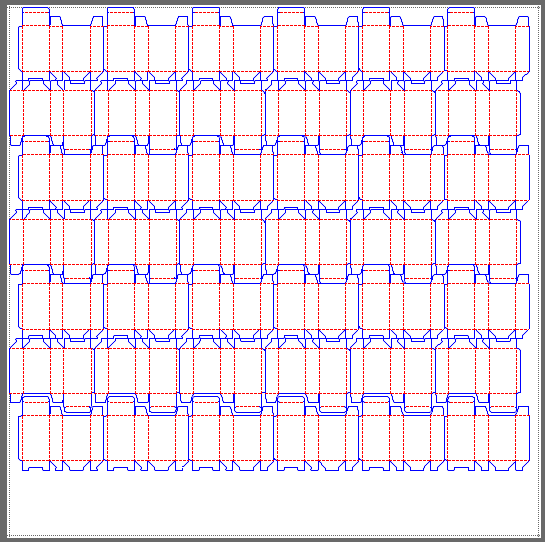
Apparently, we step and repeat them together could improve the paper utilization to help the printing company save cost. For further information about step and repeat, please check the Help documents on Packmage CAD website.
PACKMAGE TECHNOLOGY CO.,LIMITED